Looking things up costs attention
Search during a call and you stop listening. The other side notices, immediately.
Meeting copilot
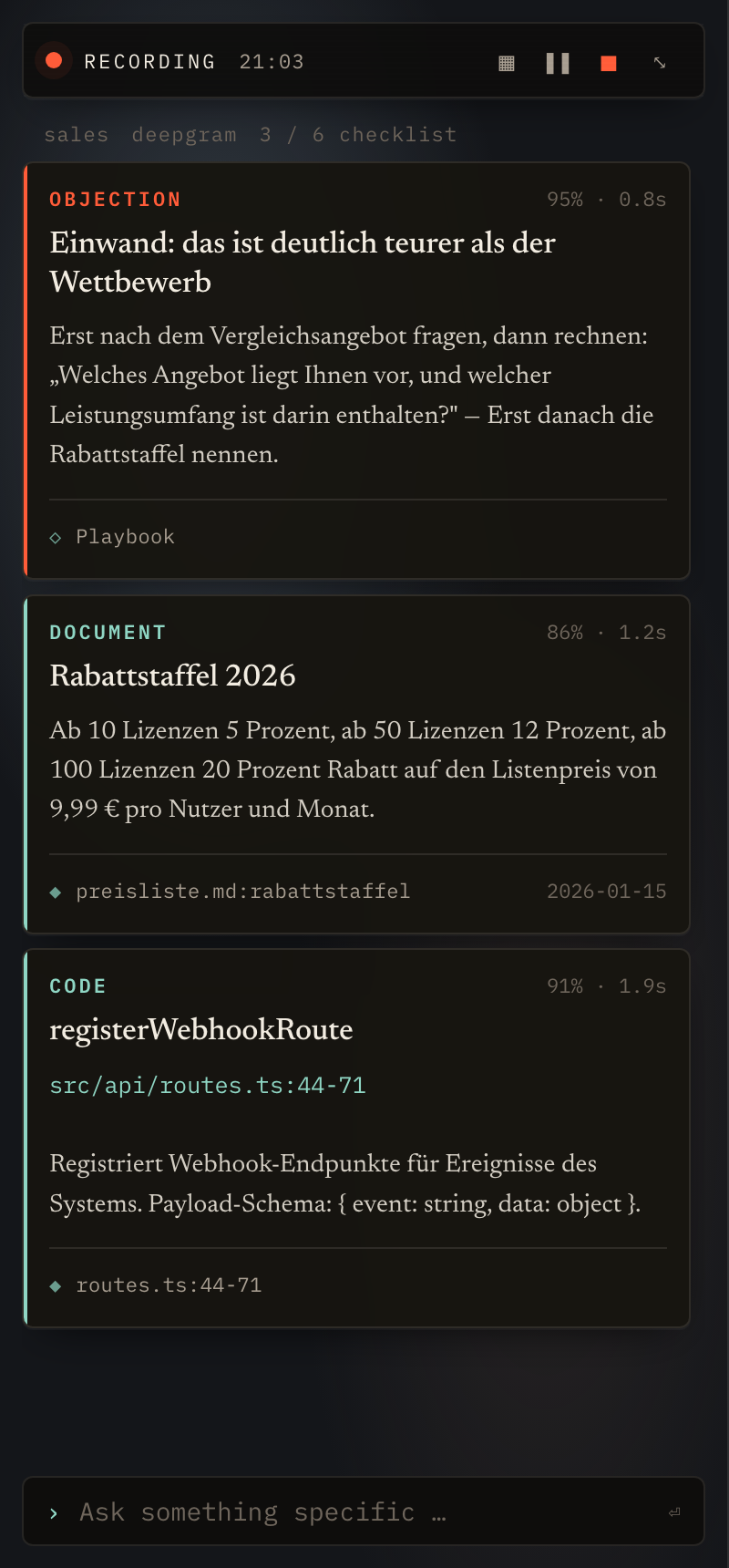
Scrappy listens, works out what is actually being argued about, and puts the answer on screen — in under three seconds. When the call ends, the summary is already written, every point linked to the transcript.
The problem
The objection lands, the number is in a price list, the feature in a repository, the commitment in the notes from two weeks ago. All of it available — none of it within the ten seconds that matter. Afterwards someone writes notes from memory, and half of it is gone.
Search during a call and you stop listening. The other side notices, immediately.
Summary, action items, who promised what — written afterwards, from memory, half forgotten by the next meeting.
Price list, repository, proposals, old minutes. A tool that only knows one of them is useless mid-conversation.
How it works
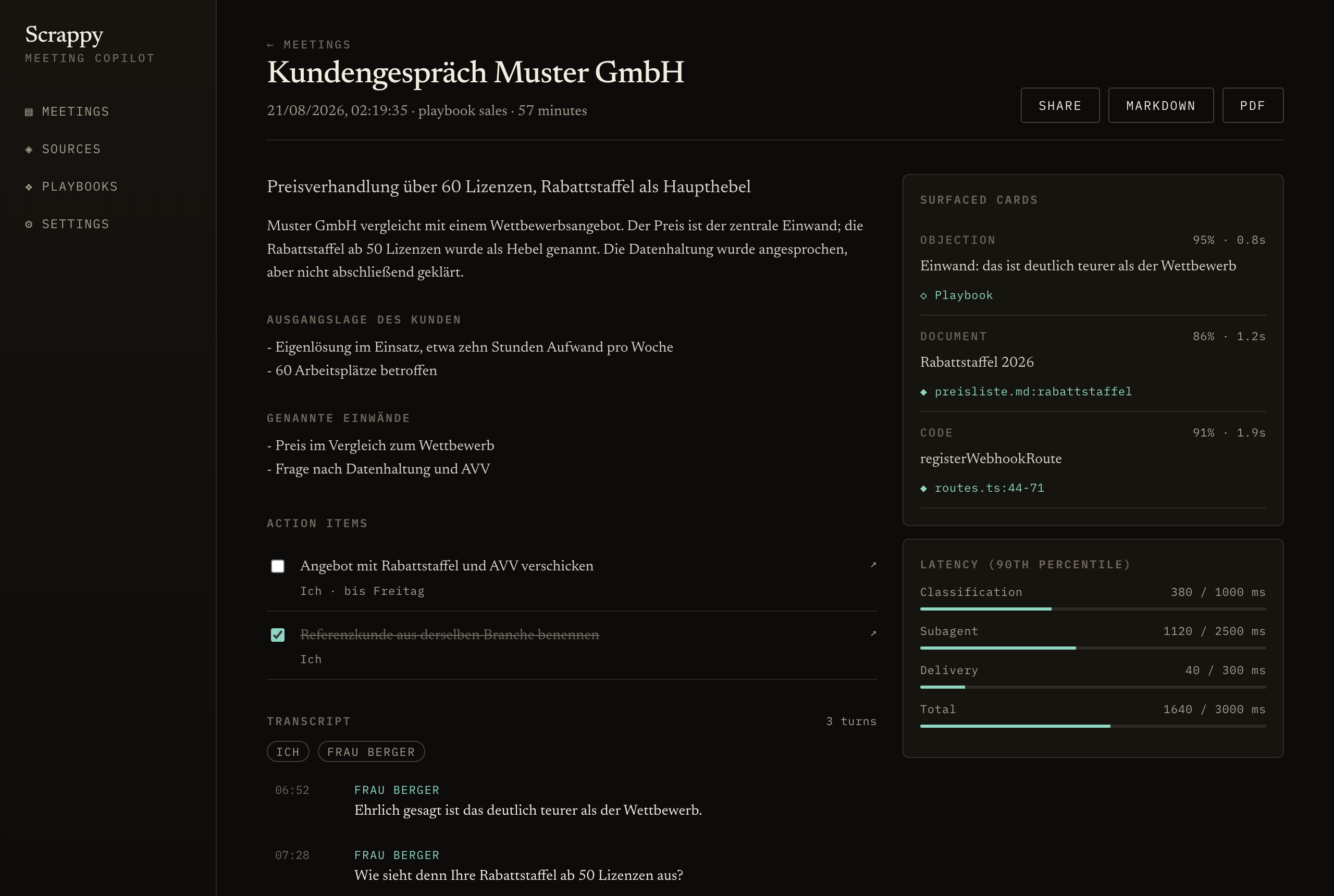
Three steps, one time budget: no more than three seconds from what was said to the card on screen. Not an aspiration — a measured limit. Every call ends with its own latency report.
Microphone and system audio stay separate, so the copilot knows who spoke — you or the other side. Anyone who objects to being recorded is excluded, and their speech is never processed.
An objection? A direct question? A commitment? The copilot classifies the last few turns and decides whether it has anything to add. Usually it does not — and then the screen stays quiet.
Every card names where it came from: this document, this line of code, this point in the playbook. No card without a source — enforced in the data model, not merely intended.
Screens
Every image comes from the running application, captured through the same preview the interface is built in.
After the call
Summary, action items and transcript on the left; the cards that appeared and the latency report on the right. Click a citation to jump to that point in the transcript.
Sources
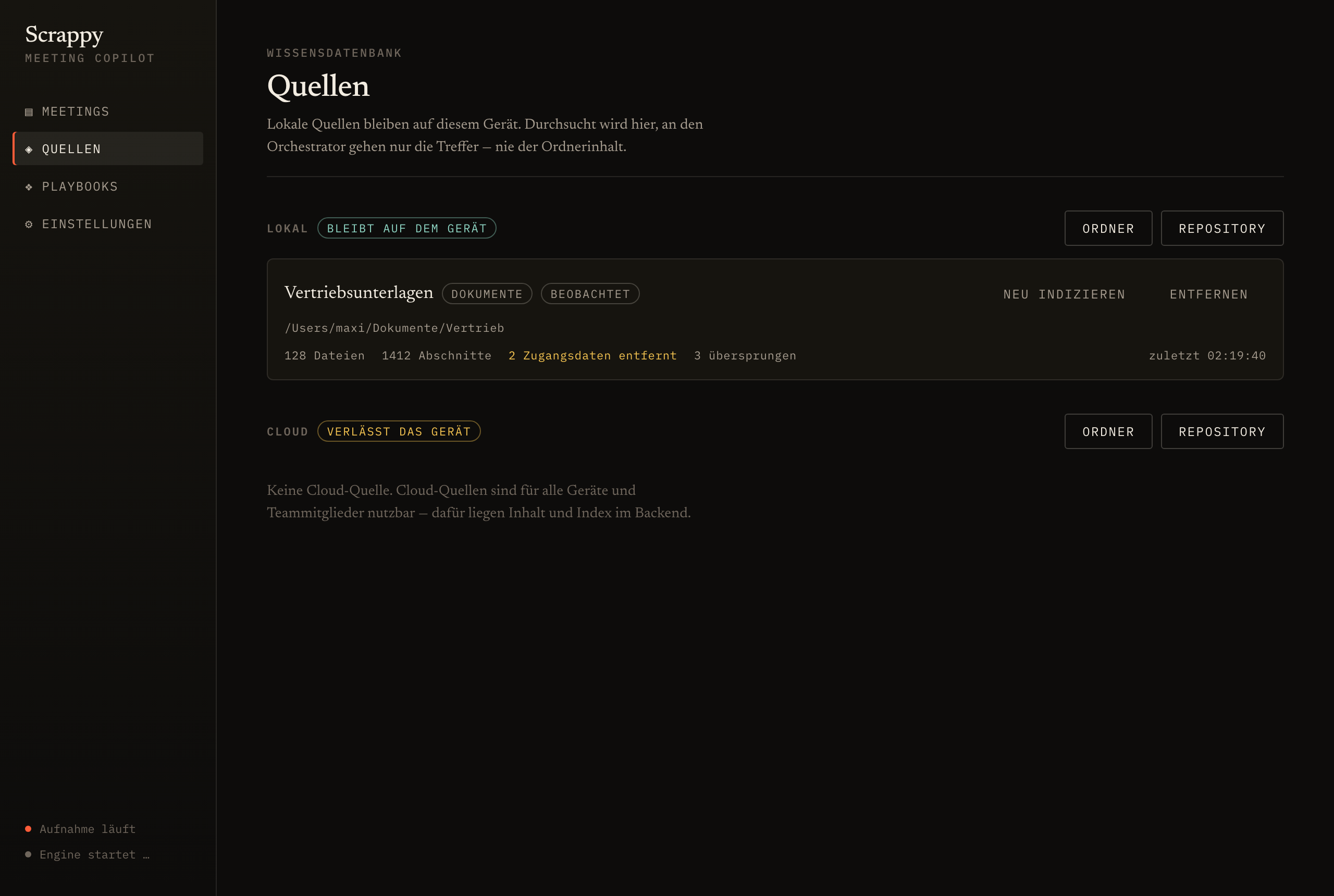
Local and cloud sources side by side, with the difference visible: what stays on the device is labelled as such.
Shared page
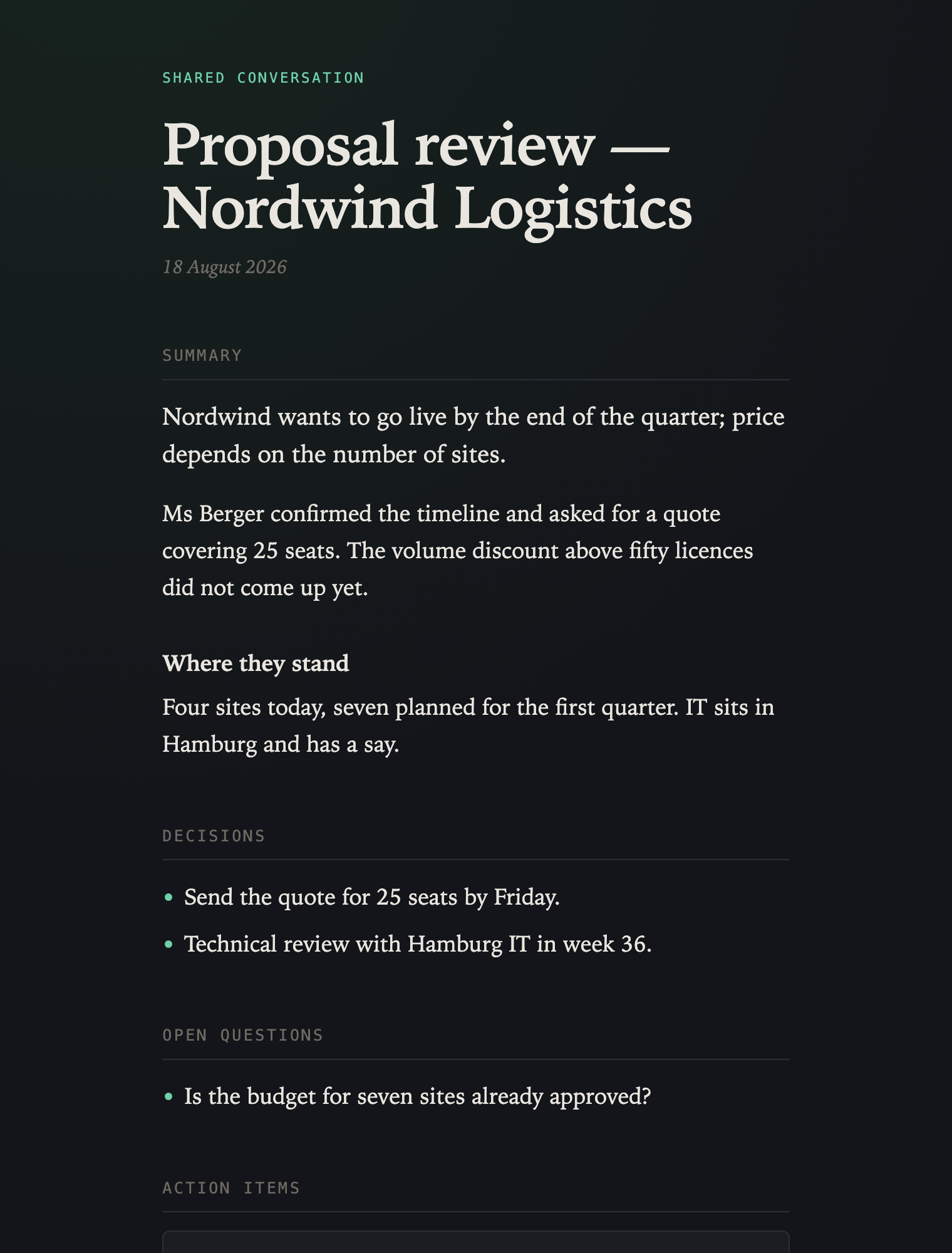
What recipients see: summary, decisions, action items. No account, no script, no third-party font — and no transcript unless you released it.
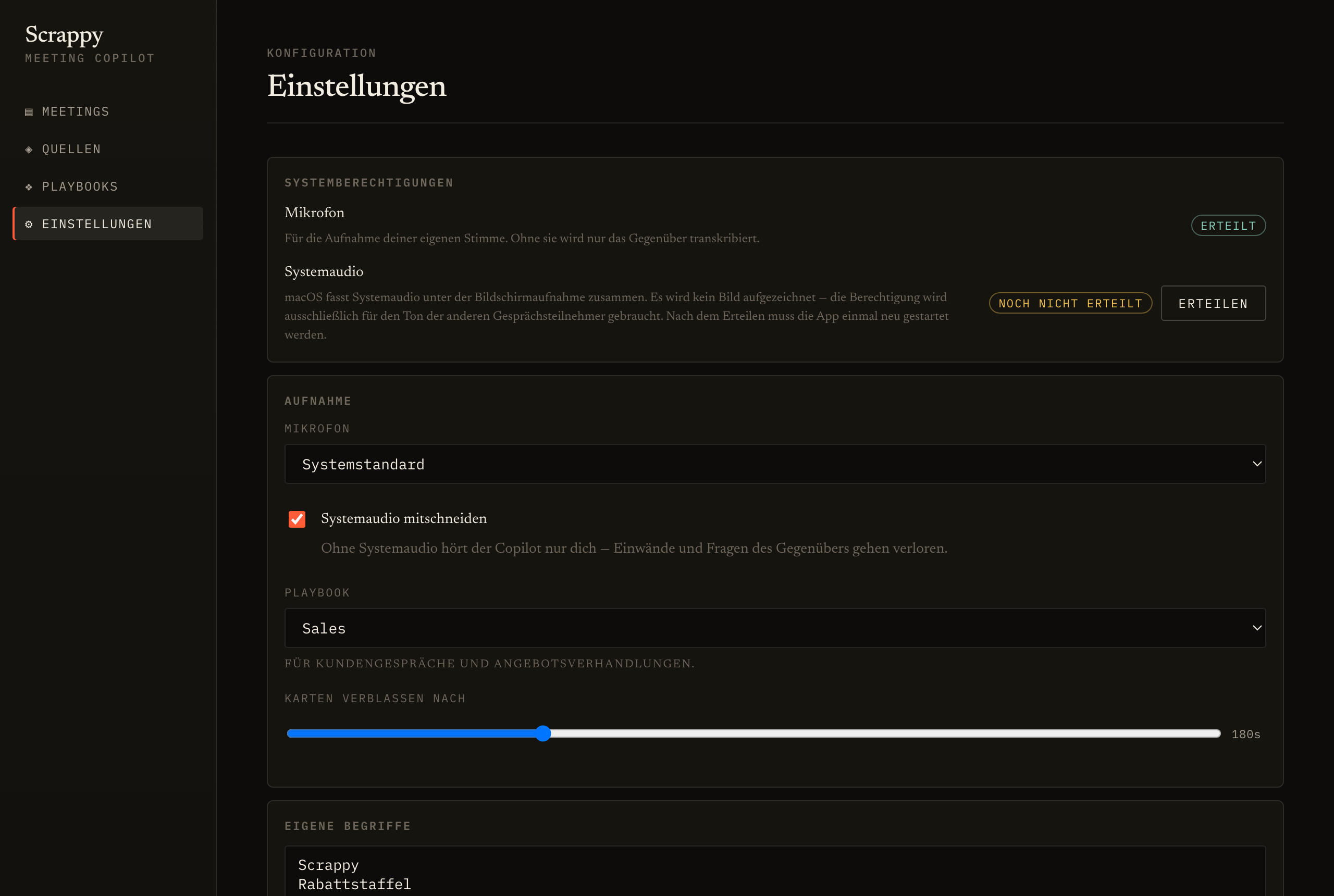
Settings
Permissions, audio devices, shortcuts, licence and the hours you have left, all in one place.
Features
Sales, consulting, interviews, technical clarification: each playbook brings its own triggers and its own checklist. Write your own and share them with the team.
The copilot tracks positions, open questions and commitments as they appear. They end up in the minutes as a list with a link into the transcript, not as prose.
A folder of proposals, a repository: both are indexed and searched on your machine. Only the matching passage goes to the copilot — never the folder.
Transcription, classification, answer, delivery — each step has a budget. Anything over it shows up in the report at the end of the call.
A link is enough: summary and action items, the transcript only if you release it. Expires after 30 days, revocable at any time, every view logged.
Export to either format, tick off action items, rename speakers — renaming applies retroactively across the whole transcript.
Privacy
In Germany, recording someone's private speech without their consent is a criminal offence (§ 201 StGB). That falls on the person using the software, not on the software. So consent does not live in a settings page — it sits in front of the record button.
The record button stays locked until you confirm that everyone present has been told. An announcement template is included, in German and English.
Audio and transcripts are stored encrypted. Every decryption writes one line: who, when, what for. Opening a shared page included.
Once transcribed, the recording is deleted unless you explicitly choose otherwise. Transcripts expire after the retention period you set; the default is 90 days.
Anyone who objects is excluded. Their speech is neither processed nor stored — not filtered out afterwards, never passed on in the first place.
Pricing
The cost sits in the hours recorded, not in the people on the team. Ten people recording two hours a month cost less than one person recording thirty — and that is how the bill works. Yearly: two months free.
Starter
€24 / month
€2.40 per conversation hour
billed yearly · €29 billed monthly
Professional
€66 / month
€2.20 per conversation hour
billed yearly · €79 billed monthly
Business
€149 / month
€1.86 per conversation hour
billed yearly · €179 billed monthly
2 conversation hours, no card, no subscription. Enough for two or three real meetings — enough to judge whether the cards are any good.
Extra hours cost €4.90 and never expire. They are deliberately dearer than an hour inside a plan: if you go over regularly, the next plan up is cheaper.
€6.99 per person and month, billed yearly
No hour limit — transcription runs on your own provider credentials. One instance, one user, non-commercial is free.
All prices exclude VAT.
Two ways
Both lead to the same application: cloud and self-hosted run the same code. There is no feature that only exists in the hosted version.
Recommended
Create an account and record. We run it, update it and back it up.
EU data centre. Cancel at the end of any month.
Full control
Your servers, your keys, your retention periods. Nothing leaves your network except the calls to the model providers whose credentials you supply.
docker compose up -d
cp .env.example .env
SCRAPPY_LICENSE_KEY=…
https://scrappy.your-company.com
Runs with no connection to us. Even the licence check has a grace window.
| Differences that matter | Cloud | Self-hosted |
|---|---|---|
| Feature set | complete | complete |
| Operations | on us | on you |
| Model access | included | your own credentials |
| Billing | conversation hours | licence per person |
| Updates | automatic | whenever you want |
| Data residency | EU data centre | your infrastructure |
Questions
It listens while the recording runs — and the recording only runs once you have confirmed that everyone present has been told. The recording state is visible throughout, and one shortcut stops it instantly.
Only if you add a cloud source. Local sources are indexed and searched on your machine; what reaches the copilot is the matching passage, not the folder.
It is discarded after transcription unless you explicitly configure otherwise. Transcripts expire after the retention period you set; the default is 90 days.
Self-hosted, yes — speech-to-text and language model are interchangeable, including models that run locally. In the cloud we operate the providers and bill them through conversation hours.
Yes. The copilot is not tied to a platform, it is tied to system audio: it hears what your speakers play and sits above the window. No bot joining the meeting.
Export everything, delete everything — both are built in. Deleting also discards the conversation's key, after which even backups are unreadable.
Get started
Two or three real meetings, no card, no subscription. If the cards are no good, you have lost nothing. If they are, you will notice in the first call.